
Run your whole service from one computer.
Songs, scripture, slides and media on the congregation screen, the stage monitor and your phone — and it keeps working when the internet doesn't.
Try it free for 30 days. Everything unlocked. No card, no sign-up, no payment until you decide to keep it.
- Works with no internet on Sunday
- Light on your computer — built for modest church PCs
- Simple enough for a first-time volunteer
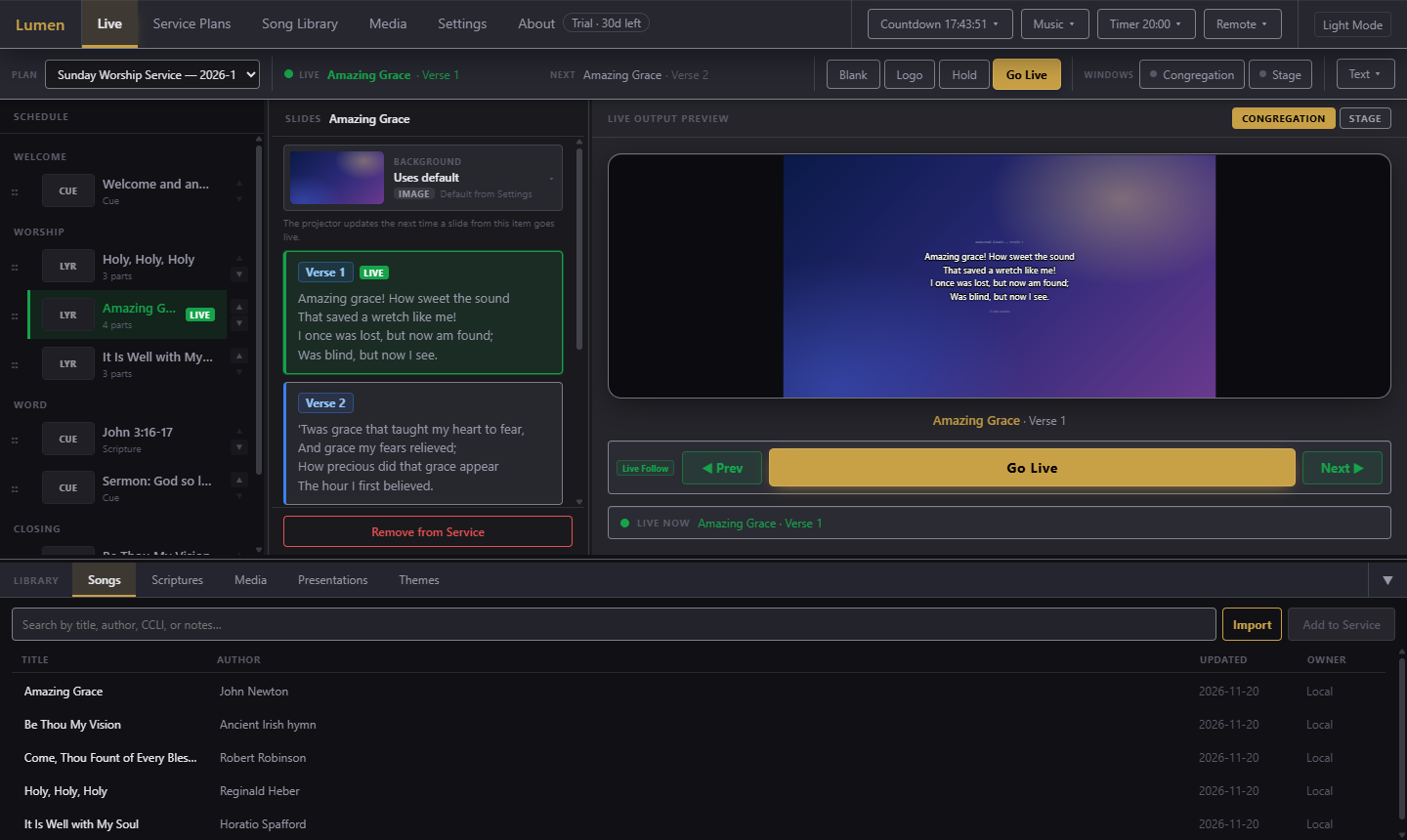
Everything for Sunday, in one place
No juggling five programs. Prepare during the week, then run the service with one calm screen.
Songs and lyrics
Build your song library with verses, choruses and bridges. Import songs, search by title or author, and put them in the order you sing them.
Scripture
Look up a passage in many Bible versions, including Tagalog and Cebuano. Passages you have looked up are saved on your computer, so they show even offline.
Service plans
Plan the whole service once, then copy it next week or save it as a template. Everything — songs, scripture, videos, announcements — in order.
Congregation and stage screens
A clean picture for the congregation. A separate stage monitor for the team with the clock, the timer and what comes next.
Videos and photos
Import a whole folder of backgrounds, videos and photos in one go. Browse them as thumbnails, set a default background, show a video on the screen.
Phone remote
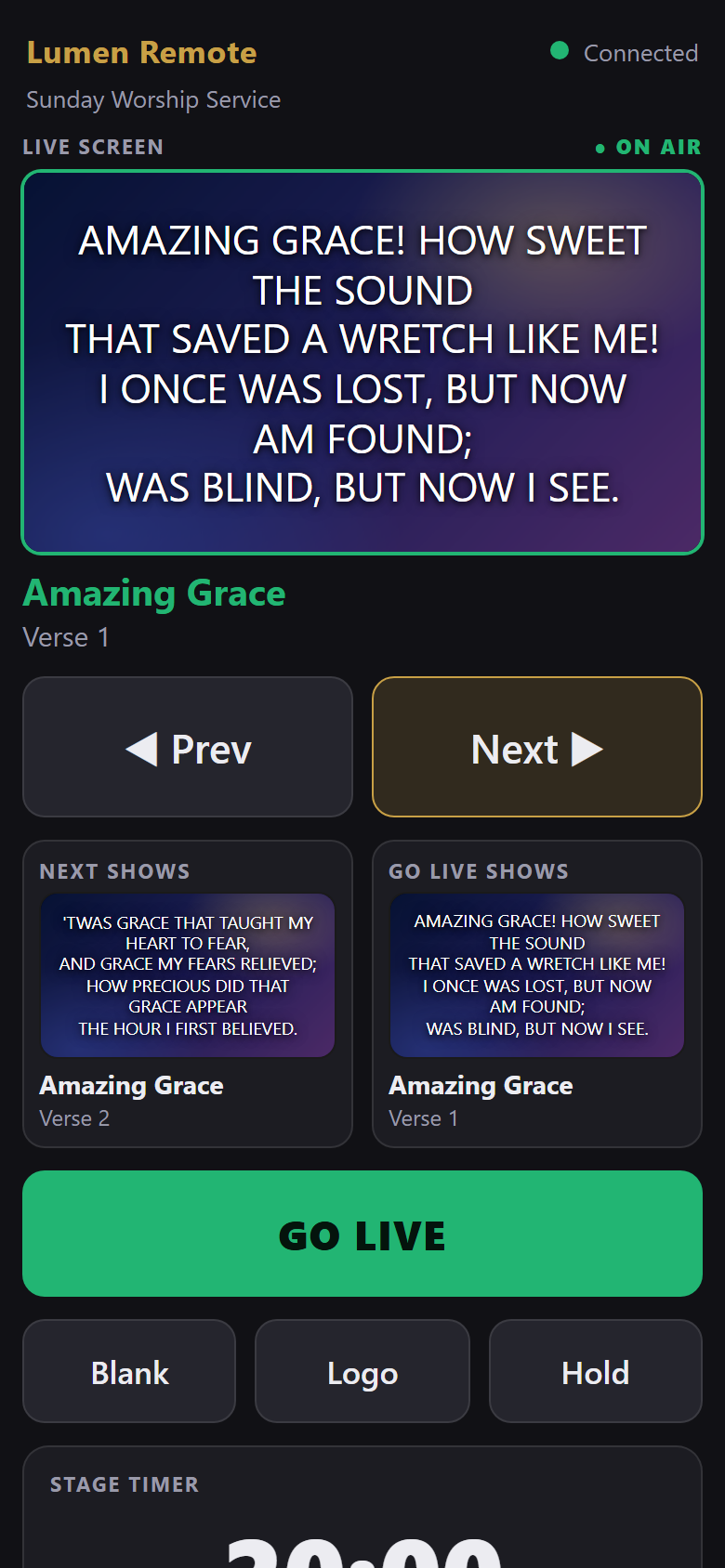
Advance slides from the pews or the sound desk. Scan one QR code and your phone shows what is on screen, with Next, Back, Blank and Go Live.
Countdown, music and timer
A pre-service countdown with your own music, and a stage timer so the sermon ends when it should.
Made for Sunday reliability
Blank, Logo and Hold in one click. A prepared service never depends on the internet, and your files stay on your own computer.
Light and fast
A small download and a small memory footprint. It starts quickly and does not slow down an older church computer.
Your phone sees what the congregation sees
Switch on the remote in Lumen, scan the code with a phone on the same Wi-Fi, and you can run the slides from anywhere in the room. Add it to your home screen and it opens like an app.
Try it before you decide
No card. No account. No pressure.
Download and install
A small installer for Windows. It installs just for you — no administrator needed.
Use it free for 30 days
Everything is unlocked. Prepare a service, run it on Sunday, ask your team what they think.
Keep it if it helps
Pay by GCash — scan the code inside the app, and your license key arrives by e-mail. If you don't, you can still present your prepared services.